Task Management

Task Management System

From high-level project planning to granular subtask checklists — organize work across departments and teams with the structure your organization needs.

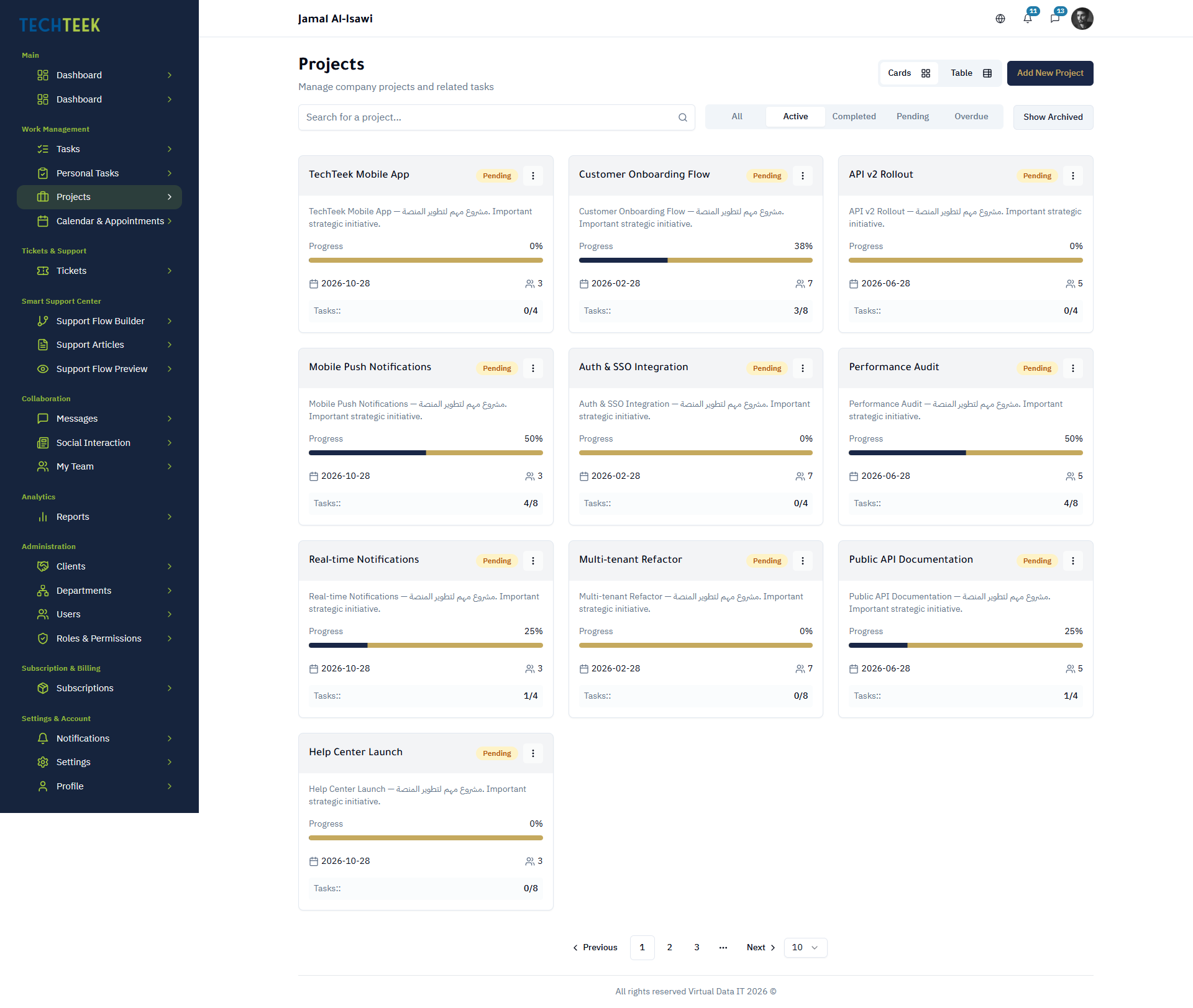
Project Board
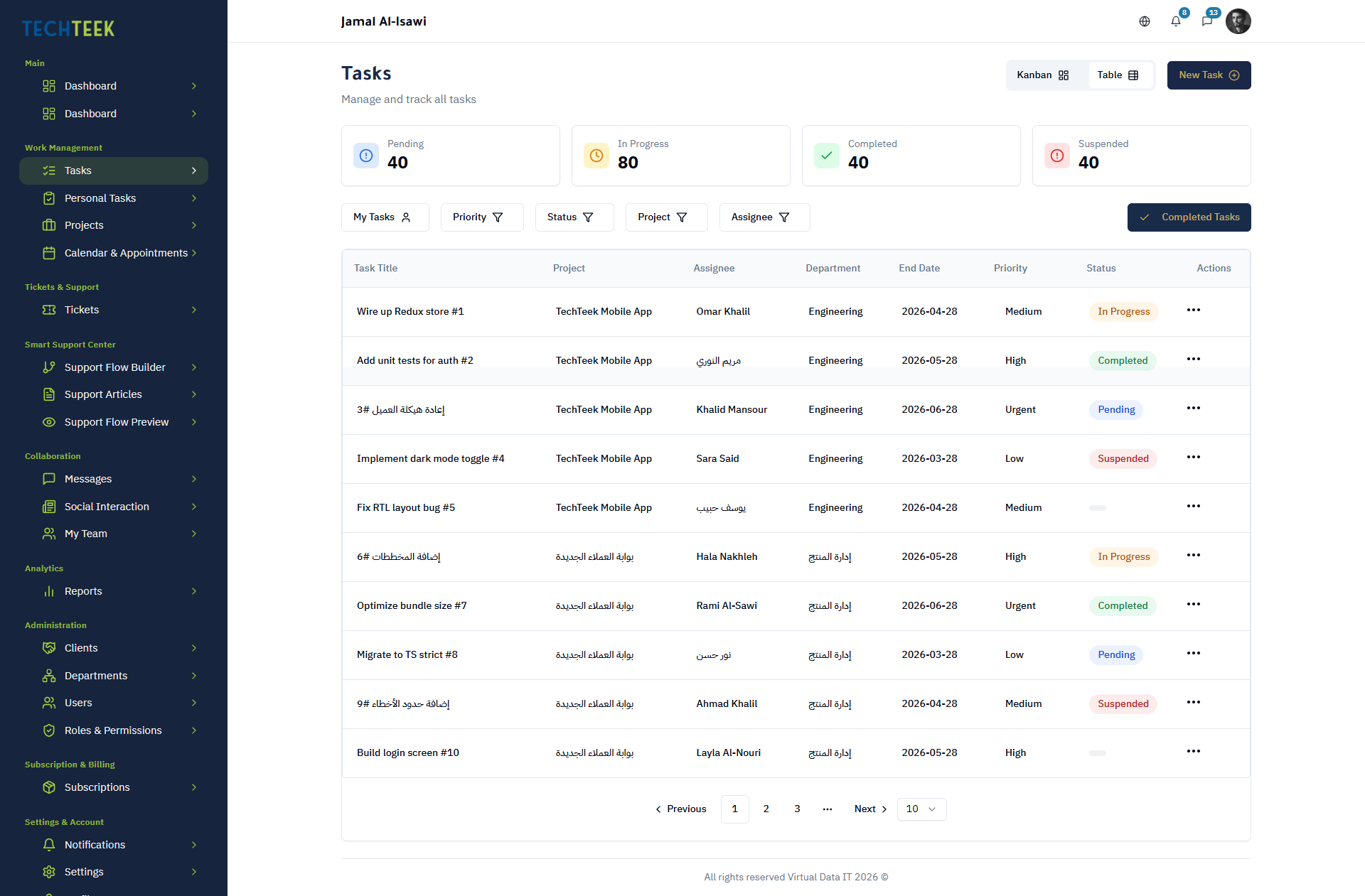
Task List
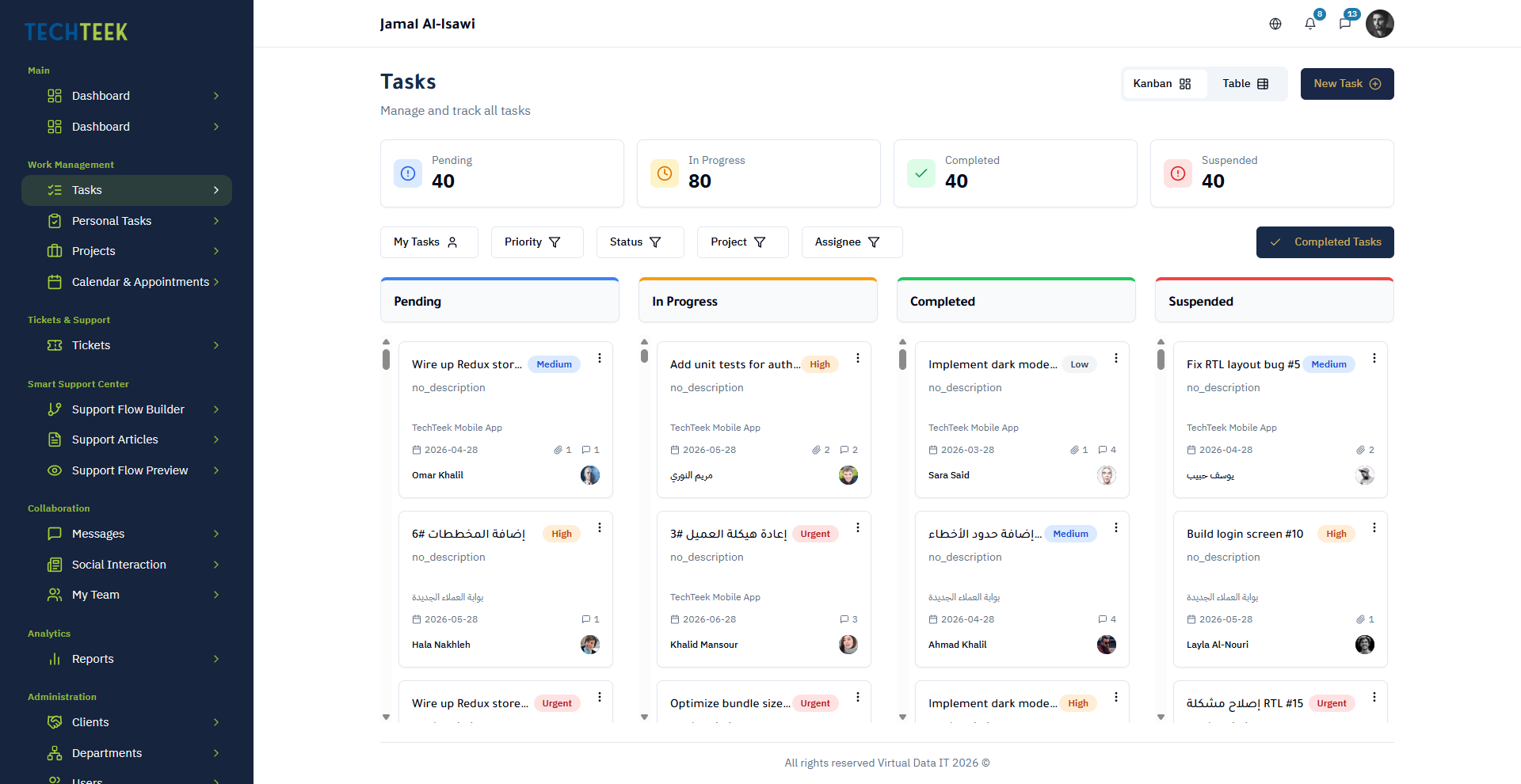
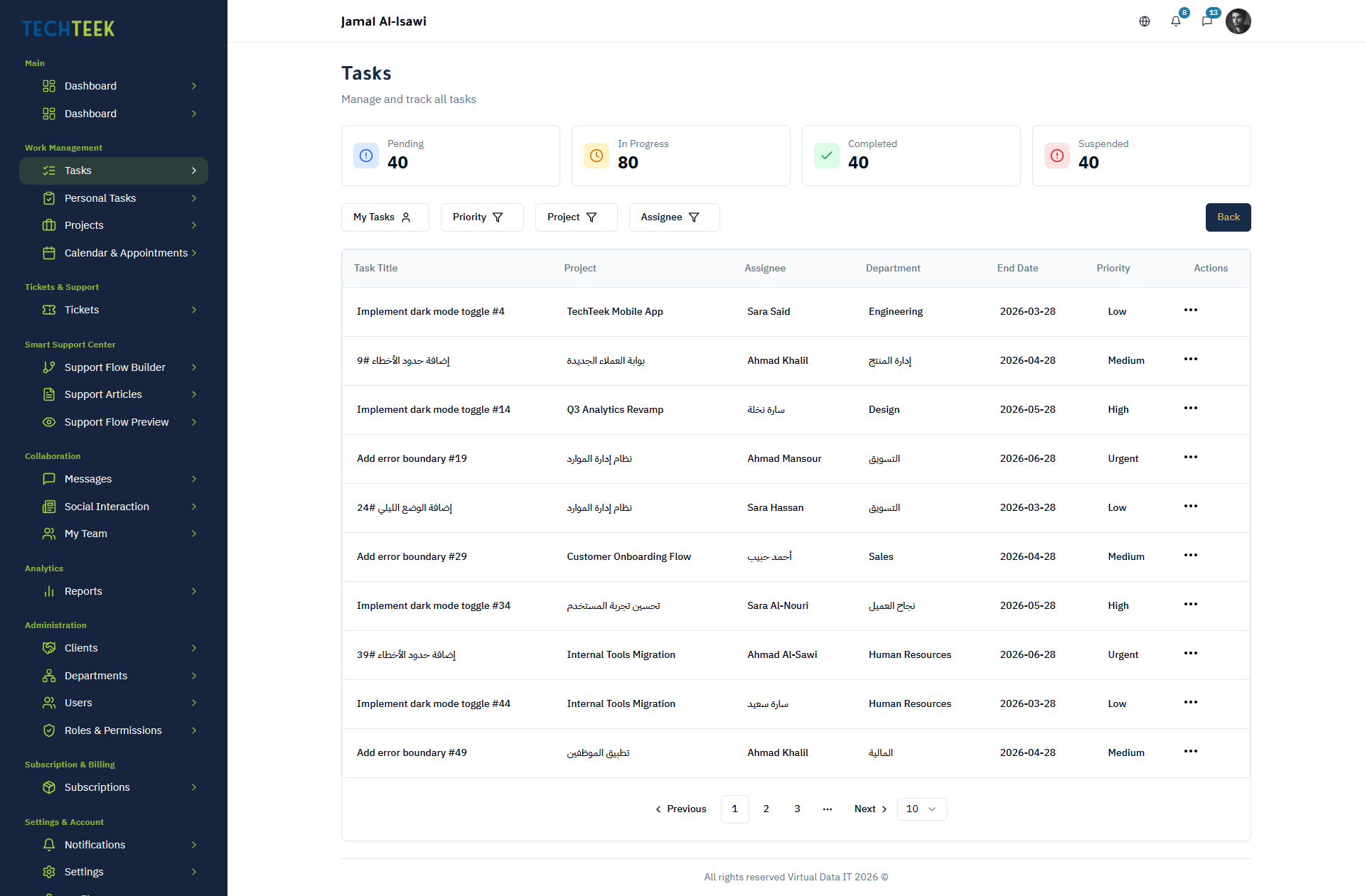
Task View
1

Project Management

Create and organize projects by department or team. Define project scope, assign project leads, and track overall progress from a centralized project dashboard.
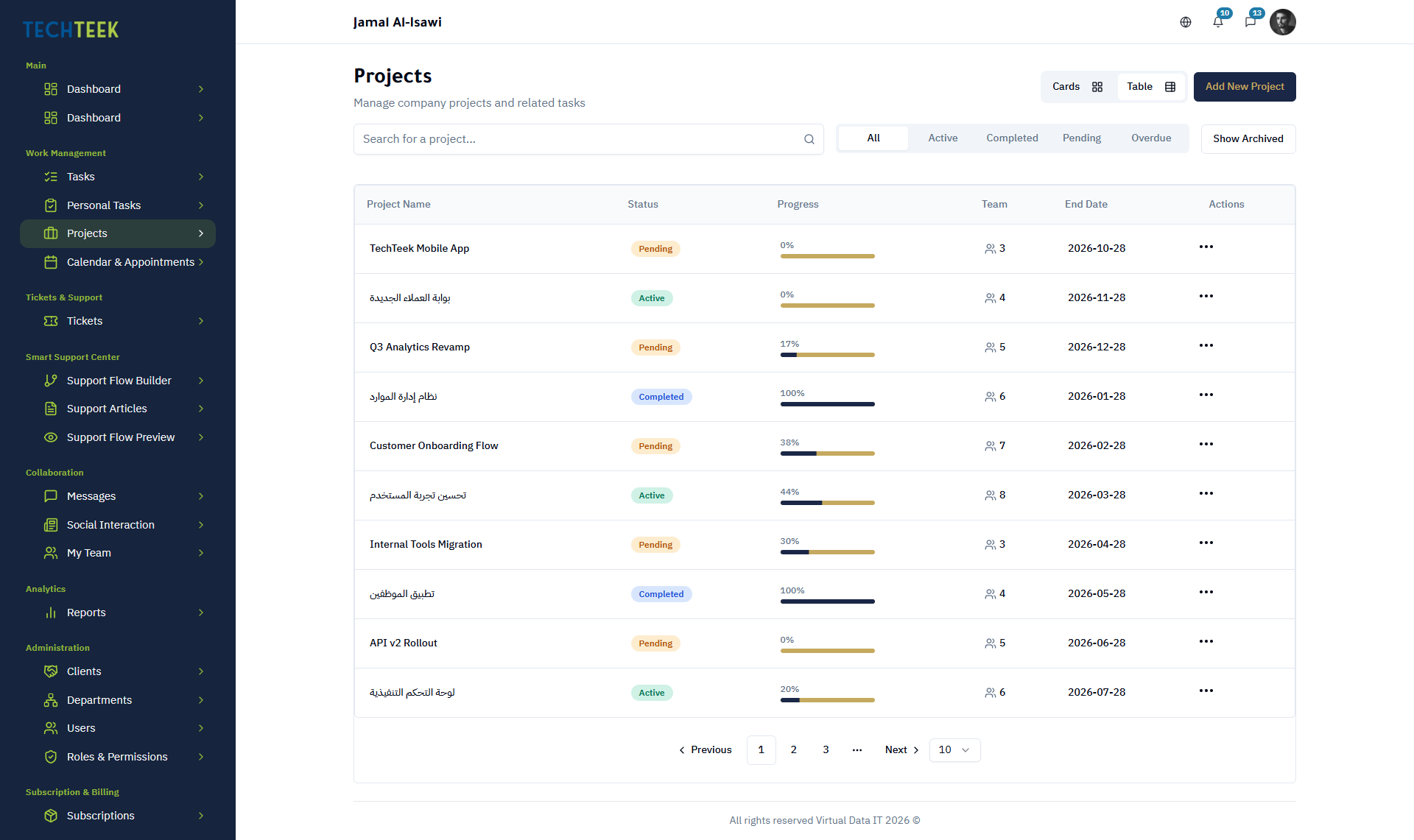
Create unlimited projects organized by department
Assign project owners and team members with role-based permissions
Track project-level progress with completion percentages
Switch between Kanban board and table view per project
Set project start dates, deadlines, and milestones
Archive completed projects while retaining full history
Project Management

Project Management

Create and organize projects by department or team. Define project scope, assign project leads, and track overall progress from a centralized project dashboard.

2

Task Management

Break projects into actionable tasks with clear ownership, priorities, and deadlines. Use subtask checklists to define granular steps within each task.

Create tasks with assignees, due dates, and priority levels
Add subtask checklists to break work into verifiable steps
Drag-and-drop tasks across Kanban columns
Filter and sort tasks by status, assignee, priority, or due date
Attach files and leave contextual comments on each task
Move or copy tasks between projects and departments
3

Personal Tasks

Give every team member a private task space for individual to-dos, notes, and reminders that stay separate from shared project boards.

Private task list visible only to the individual user
Quick-add tasks without assigning to a project
Set personal reminders and due dates
Convert personal tasks into project tasks when ready
Track personal productivity without manager visibility

Task Dashboard

A real-time overview of task status across all projects. Managers and team leads see what is on track, what is overdue, and where resources are needed.
Task Dashboard
4

Task Dashboard

A real-time overview of task status across all projects. Managers and team leads see what is on track, what is overdue, and where resources are needed.

Organization-wide task status summary with visual indicators
Filter dashboard by department, team, project, or assignee
Overdue task alerts and approaching-deadline highlights
Task distribution charts showing workload per team member
Drill down from dashboard directly into any task or project
5

Task Reports

Generate detailed reports on task completion, team performance, and project timelines. Export data for stakeholder presentations or compliance records.

Task completion reports by date range, department, or team
Average task duration and cycle time analysis
Overdue task frequency and bottleneck identification
Exportable report data for offline analysis
Scheduled report generation for recurring stakeholder updates

Task Management FAQ

Each project can be viewed in either Kanban or table mode, and you can switch between them instantly. Your preferred view is saved per project.
Subtasks are checklist items within a task. Each subtask can be checked off individually, and the parent task shows overall subtask completion progress.
Each task has a single assignee for clear accountability. If work needs to be split, create subtasks and assign them to different team members.
No. Personal tasks are private to each user. They are not visible to managers, admins, or other team members.
Yes. Tasks can be moved or copied between projects and departments, preserving their history, comments, and attachments.

Ready to Unify Your Tasks and Tickets?

Start a 14-day free trial — no credit card, no commitment. Choose your system and tier, invite your team, and see results in your first week.