Self Service Support System for Structured Customer Resolution
TECHTEEK helps organizations across Jordan and Saudi Arabia reduce support workload through interactive self service flows, knowledge base automation, and structured ticket creation with full customer context.
Six Node Types for Complete Support Flows
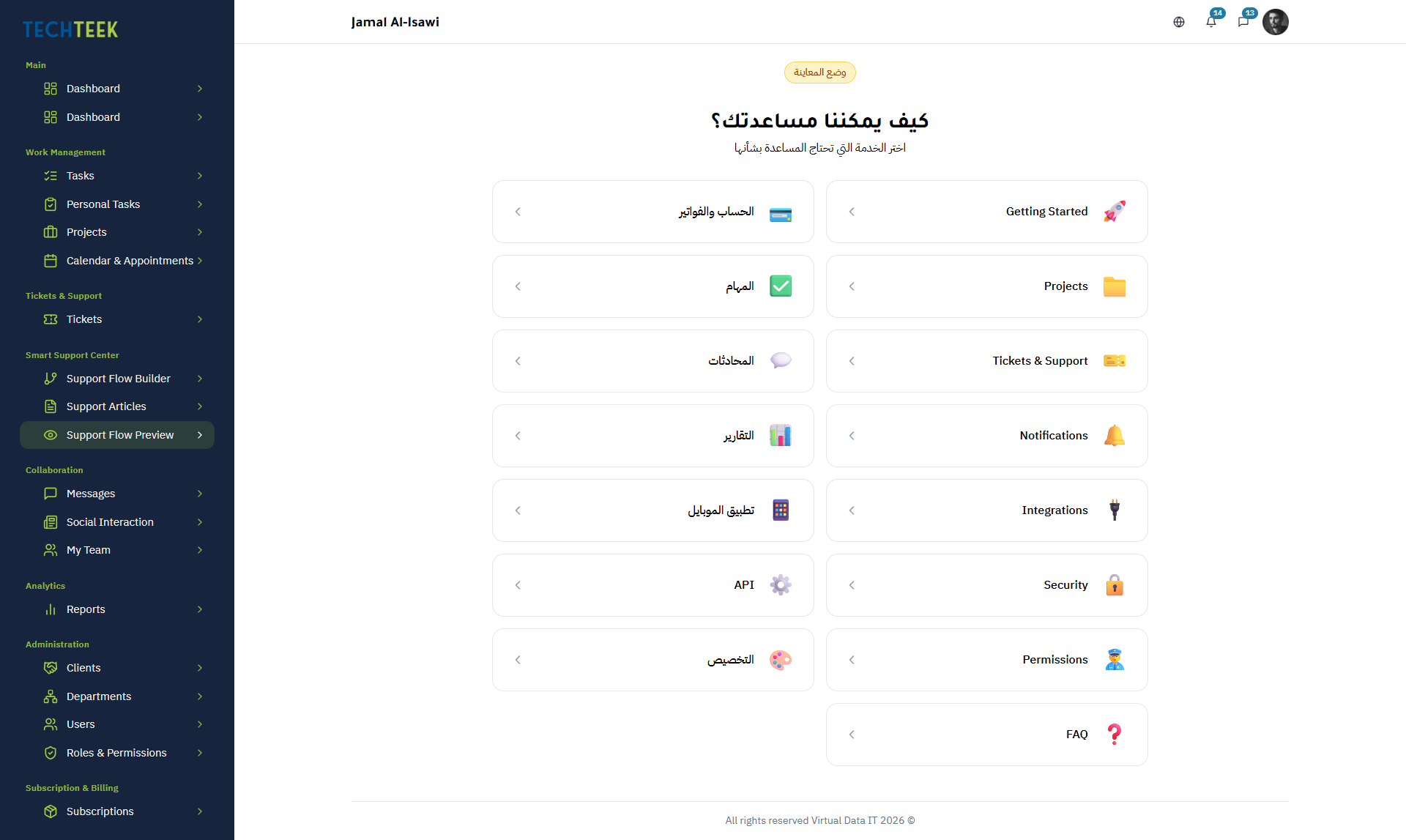
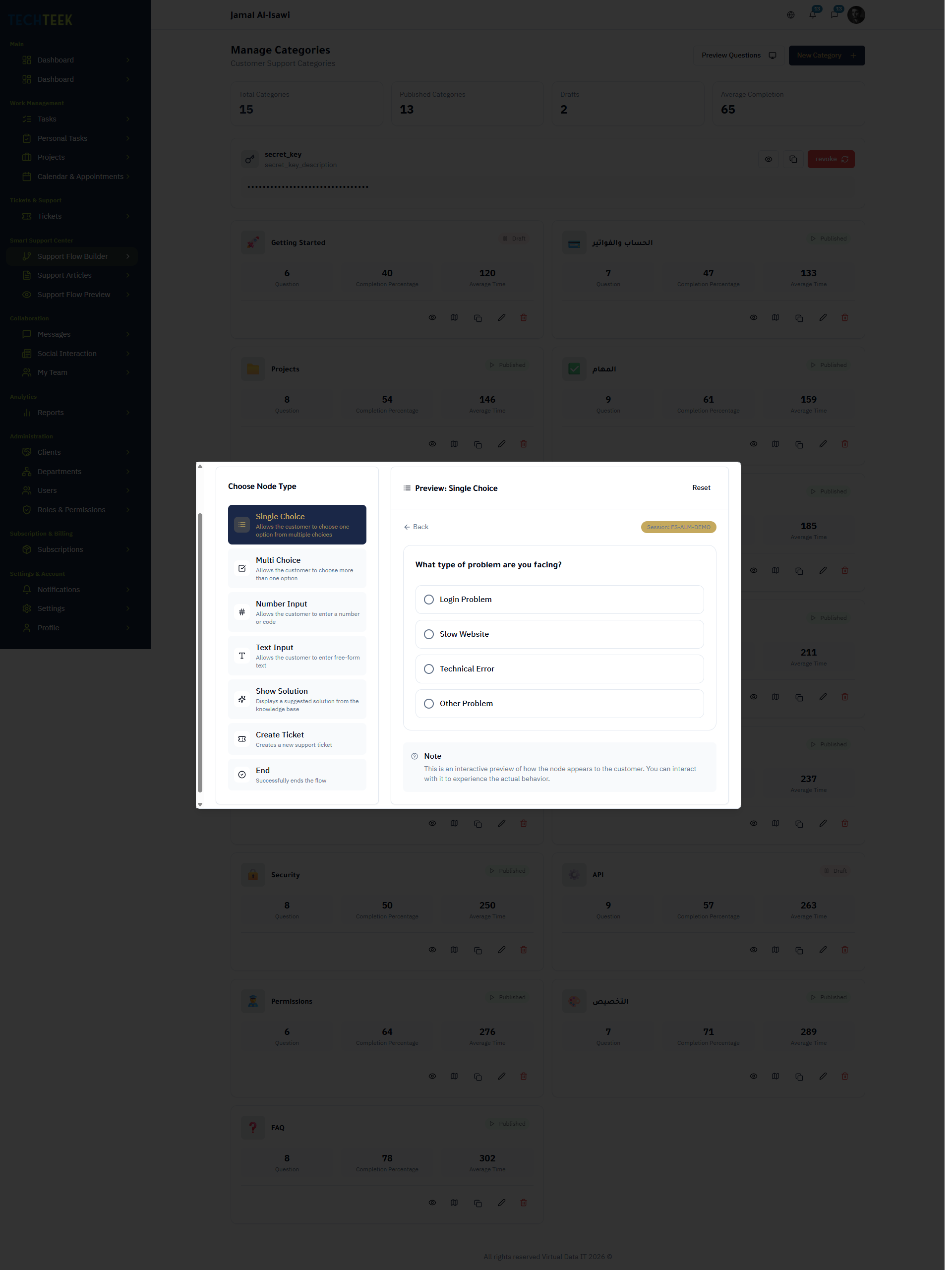
Build branching question maps visually using six purpose-built node types. No code required — just drag, connect, and publish.
Single Choice
Present customers with a set of options where only one answer applies. Each option branches the flow to a different path, narrowing the issue step by step.
Multiple Choice
Let customers select multiple applicable options from a list. Useful for gathering symptoms, feature lists, or configuration details before routing.
Number Input
Collect numeric values such as order numbers, account IDs, or quantity fields. Input validation ensures customers provide data in the expected format.
Knowledge Base Article
Surface a relevant knowledge base article inline within the flow. If the article resolves the issue, the customer never needs to submit a ticket.
Create Ticket
When self-service cannot resolve the issue, this node auto-generates a ticket pre-filled with every answer and selection the customer provided during the flow.
End Screen
Conclude the flow with a confirmation message, resolution summary, or next-step instructions. Customizable per branch for targeted follow-up guidance.
Category Management
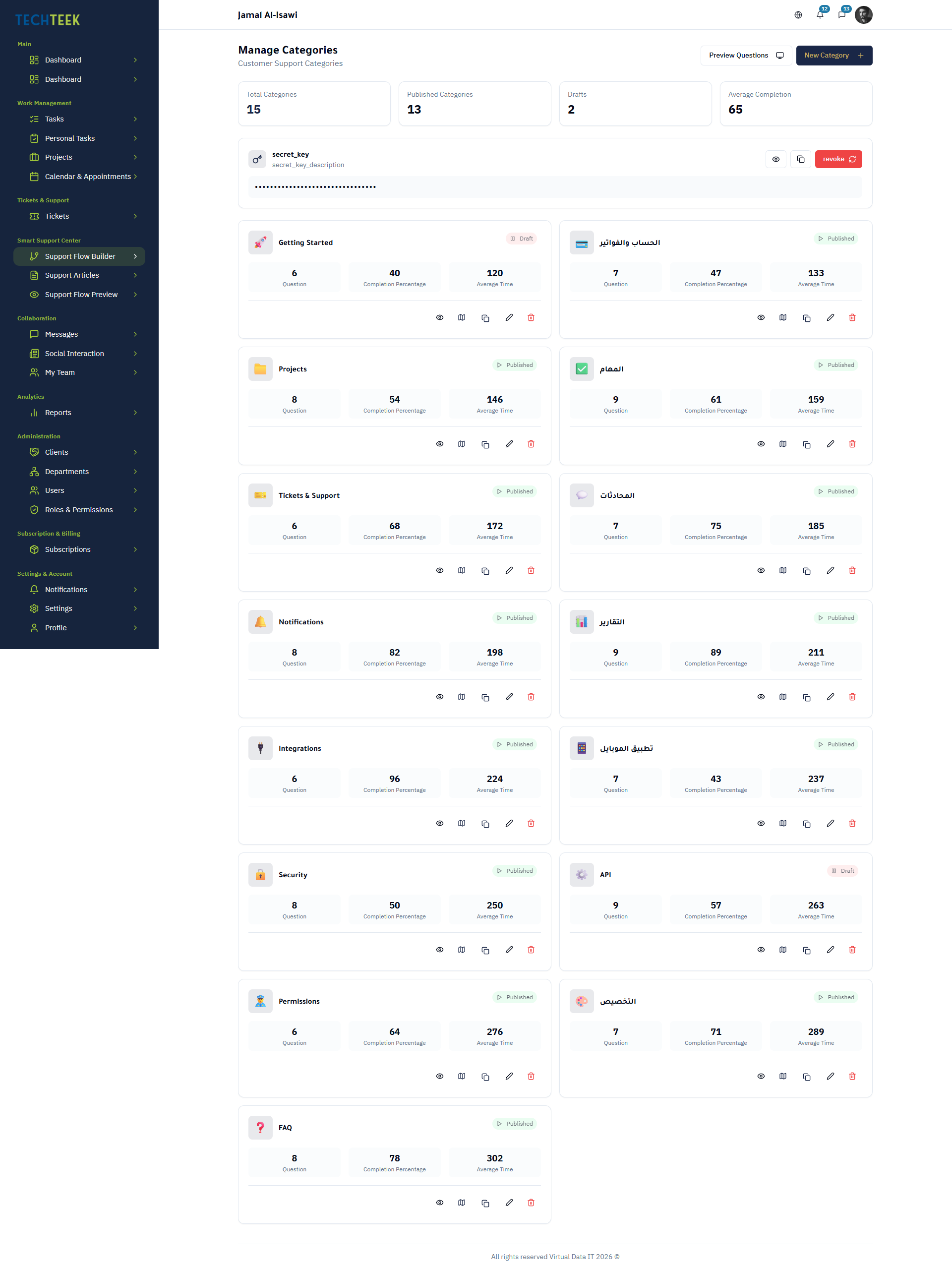
Organize support categories that map to your products, services, or issue types. Each category connects to its own question map and knowledge base resources.
Question Map Editor
A visual, drag-and-drop editor for building branching support flows. Connect the six node types to create decision trees that intelligently guide customers toward resolution.
Knowledge Base
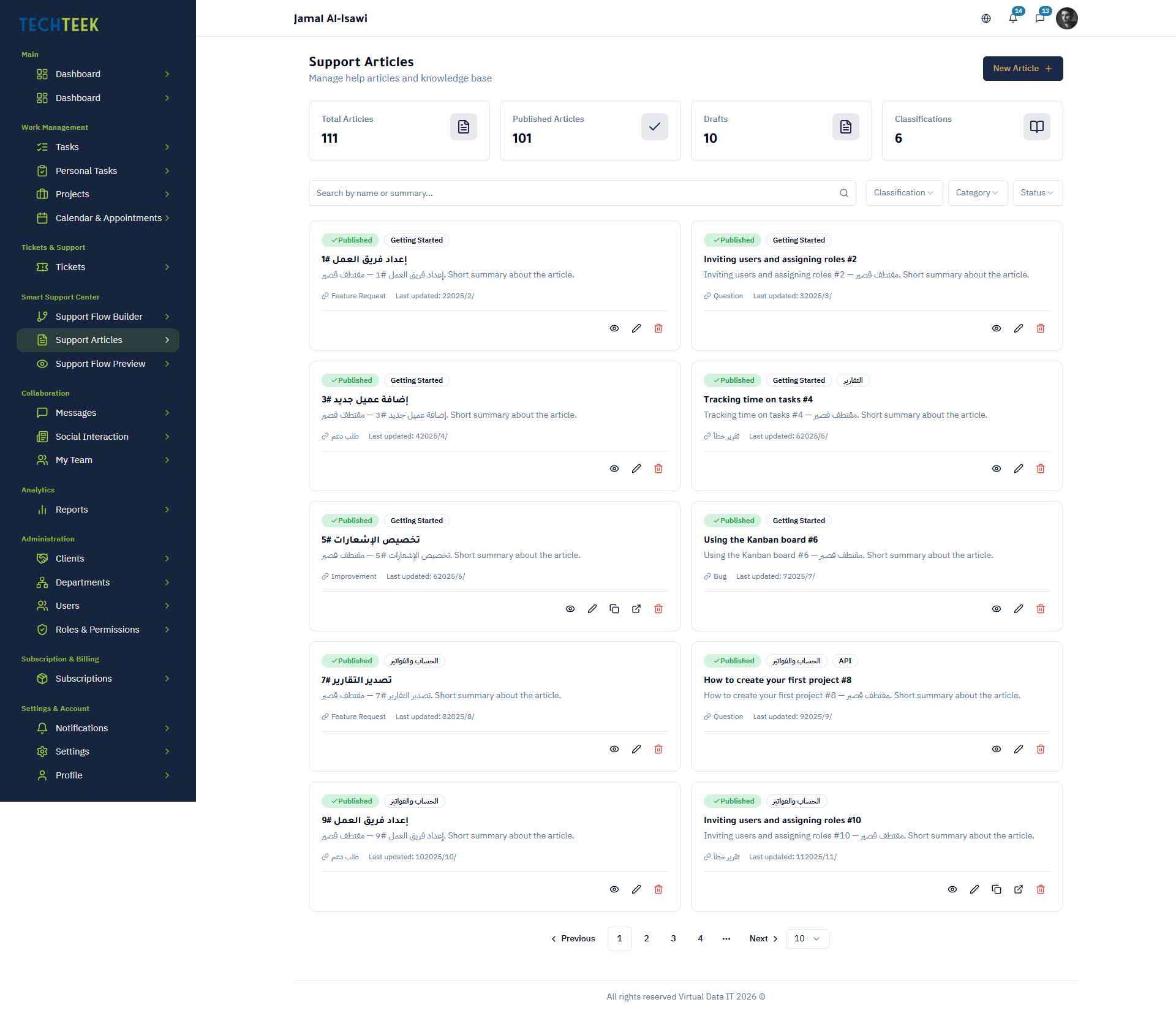
Author and manage help articles that are surfaced both in the support portal and inline within question map flows. Articles reduce ticket volume by answering common questions proactively.
Knowledge Base
Author and manage help articles that are surfaced both in the support portal and inline within question map flows. Articles reduce ticket volume by answering common questions proactively.
Self Service Operations Strategy
TECHTEEK helps organizations reduce repetitive support requests by guiding customers through structured self service flows before tickets reach support teams. Measure resolution rates, improve knowledge coverage, and optimize operational efficiency through continuous analytics.
Smart Support Center FAQ
Reduce Support Workload with Structured Self Service
Activate your workspace and experience how TECHTEEK helps teams automate support flows, centralize customer communication, and improve operational response efficiency across departments.